Admin / IT Track
Use this track to configure LumoAuth for your organization — or for one of your customers' organizations. It covers the portal, enterprise integrations, and day-2 operations.
Prerequisites
- Admin access to your LumoAuth organization
- An existing identity provider (Okta, Azure AD, Google Workspace, or any SAML/OIDC IdP) if you plan to set up SSO. SSO is single sign-on: your users sign in with the account that they already have.
1. Set up your organization
- Organization Setup — create and configure the organization
- Organization Portal — tour of the admin dashboard
- Core Concepts — organizations, users, roles, clients
Create an API key with only the scopes that you need
Most automation (the CLI, Terraform, scripts) authenticates with an organization API key. Create it under Applications & developer tools → API keys (/orgs/{orgId}/portal/settings/api-keys, Create API key). Tick only the scopes that the job needs, for example admin:users:read for a reporting script. A key with a :read scope cannot change data; a key with one resource scope cannot reach other resources. Keys never create a browser session and are refused on the portal itself.
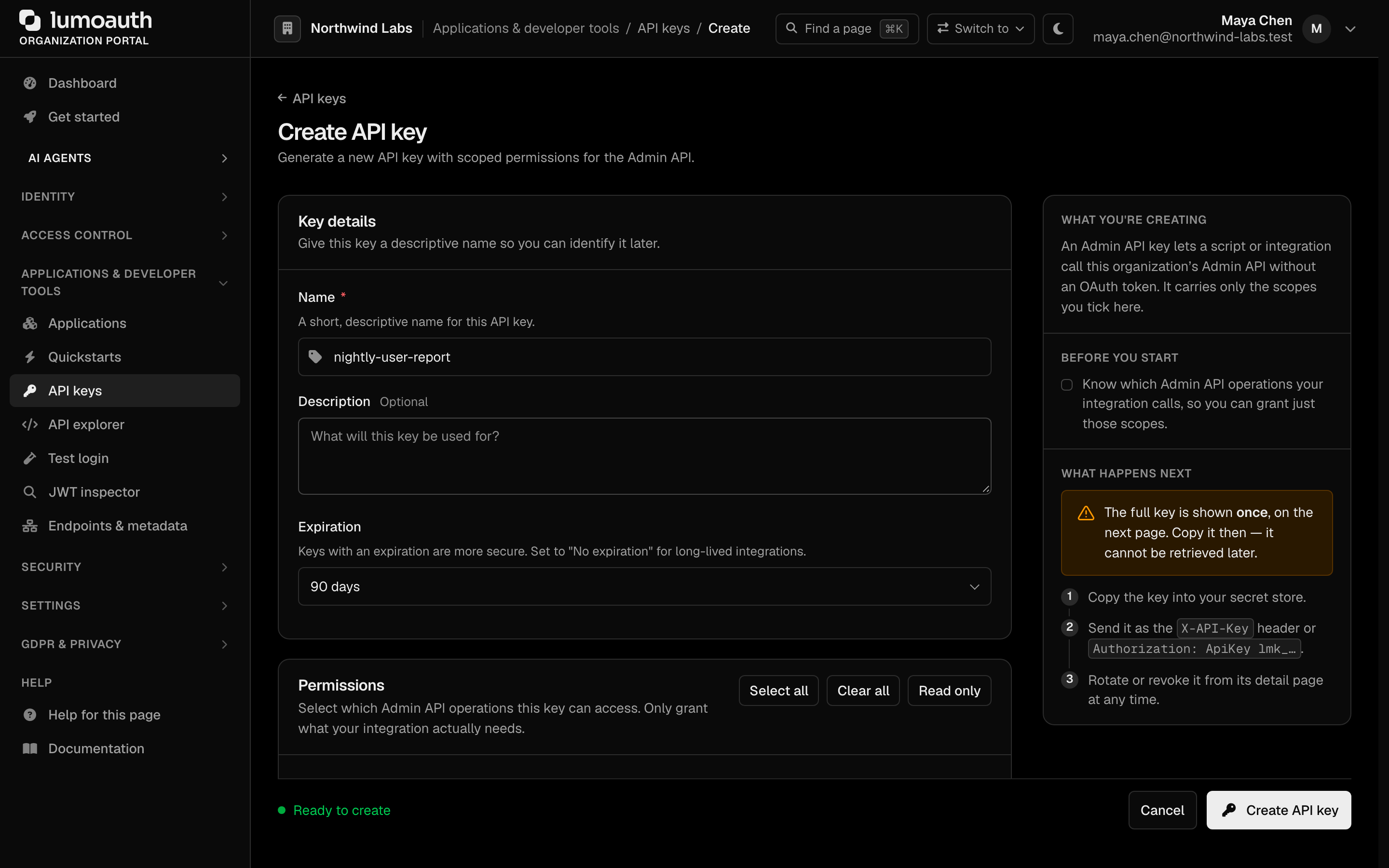
- API Keys — scopes catalogue and rotation
- Credentials and access model — which credential works where
Two settings to check once
| Setting | Default | Where | Why it matters |
|---|---|---|---|
allow_root_admin_login | off | Not configurable by organizations; changed only by LumoAuth operators at your request (see Organization settings) | Lets LumoAuth operators sign in through your hosted login page. Every such login is audited at critical severity. |
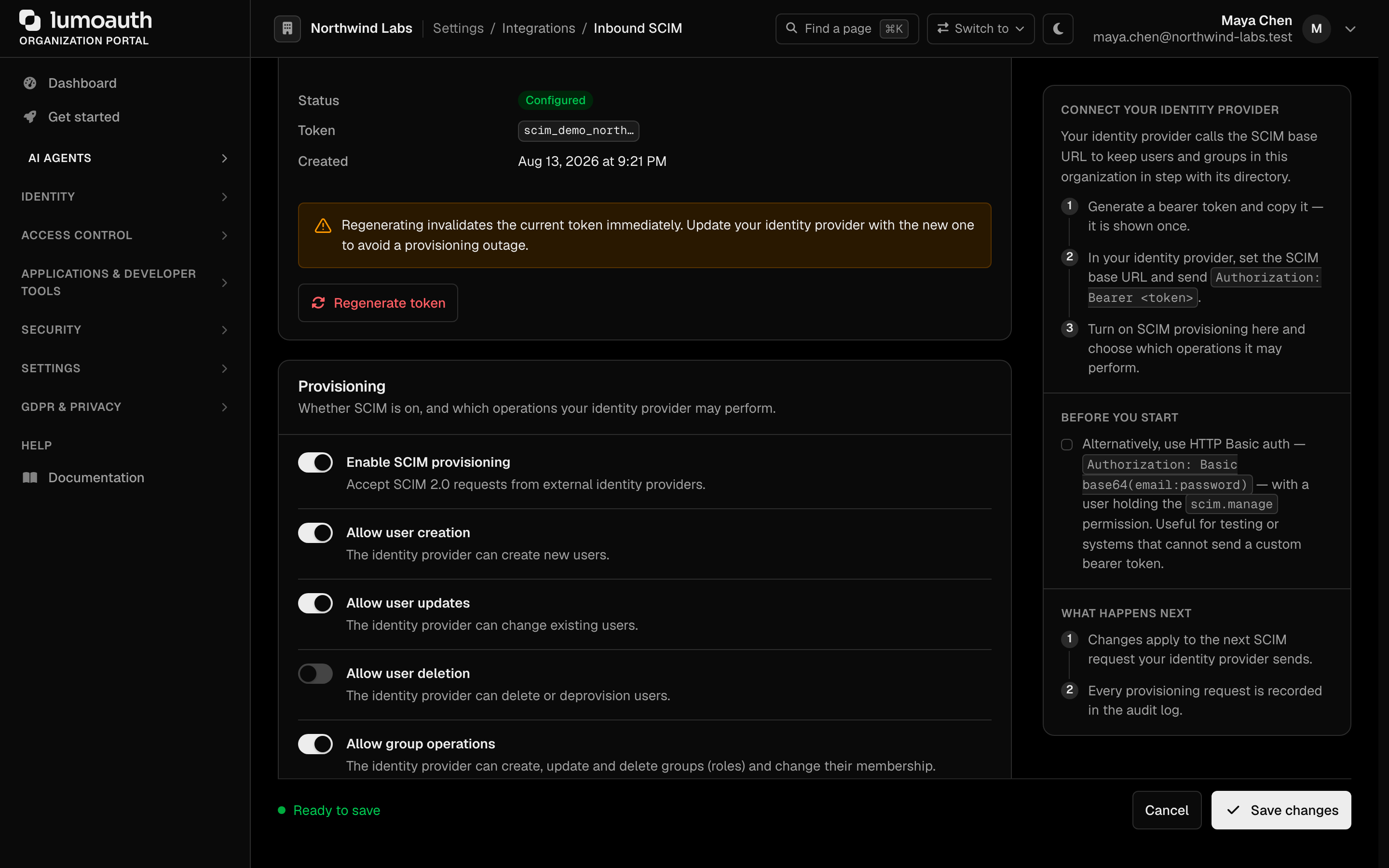
| SCIM policy toggles | creation, updates, deletion and group operations on; no protected attributes; deprovisioning = soft delete | /orgs/{orgId}/portal/integrations/scim | Enforced by the SCIM API. Before connecting an IdP, decide which operations it may perform and which attributes (e-mail, name, active) it may overwrite. |
2. Enterprise SSO
Bring your existing identity provider so end users sign in with their corporate account.
- Enterprise SSO overview
- SAML as Service Provider — LumoAuth accepts identities from Okta, ADFS, or Azure AD
- SAML as Identity Provider — LumoAuth issues SAML assertions to downstream apps
- SAML Metadata
3. Automated provisioning (SCIM)
SCIM 2.0 is the standard user-provisioning protocol used by IdPs like Okta or Azure AD. The IdP uses it to create, update, and deactivate users in LumoAuth automatically when they are added or removed in the IdP.
- SCIM 2.0 overview — generate the provisioning token and set the policy toggles
- SCIM Users API, Groups, Bulk
Authenticate your IdP with the SCIM provisioning token (or an access token carrying the scim scope). HTTP Basic with an admin's password is refused once that admin sets up MFA.
4. Users, roles, groups
- Invitations
- Roles & Permissions
- Groups
- Organizations — customer organizations inside your organization
5. Branding and domains
Next track
- Compliance review? → Security & Compliance Track
- Setting up your developers? → Frontend Track or Backend Track
Standards used on this page
| Plain name | Standard |
|---|---|
| SCIM 2.0 (user and group provisioning) | RFC 7642, RFC 7643, RFC 7644 |
See the standards reference for what each one covers and how LumoAuth uses it.