AI Policy Authoring
The AI Policy Author turns a natural-language description of an access rule into a concrete policy definition. The definition is either roles and permissions (RBAC, role-based access control), or relationship namespaces, relations and tuples (ReBAC, relationship-based access control, which LumoAuth calls Relationships). The generated output is shown for review before you apply it, so the AI is a drafting aid, not an automatic approver.
The AI Policy Author generates roles and permissions and relationships only. It does not generate attribute rules (ABAC) — author those by hand under Attribute rules.
Use this when you want to go from "here is what should be allowed" in plain English to a working policy quickly. The more specific your description, the better the draft.
Prerequisites
- An AI provider configured on the platform.
- Access to
/orgs/{orgId}/portal/policies/author.
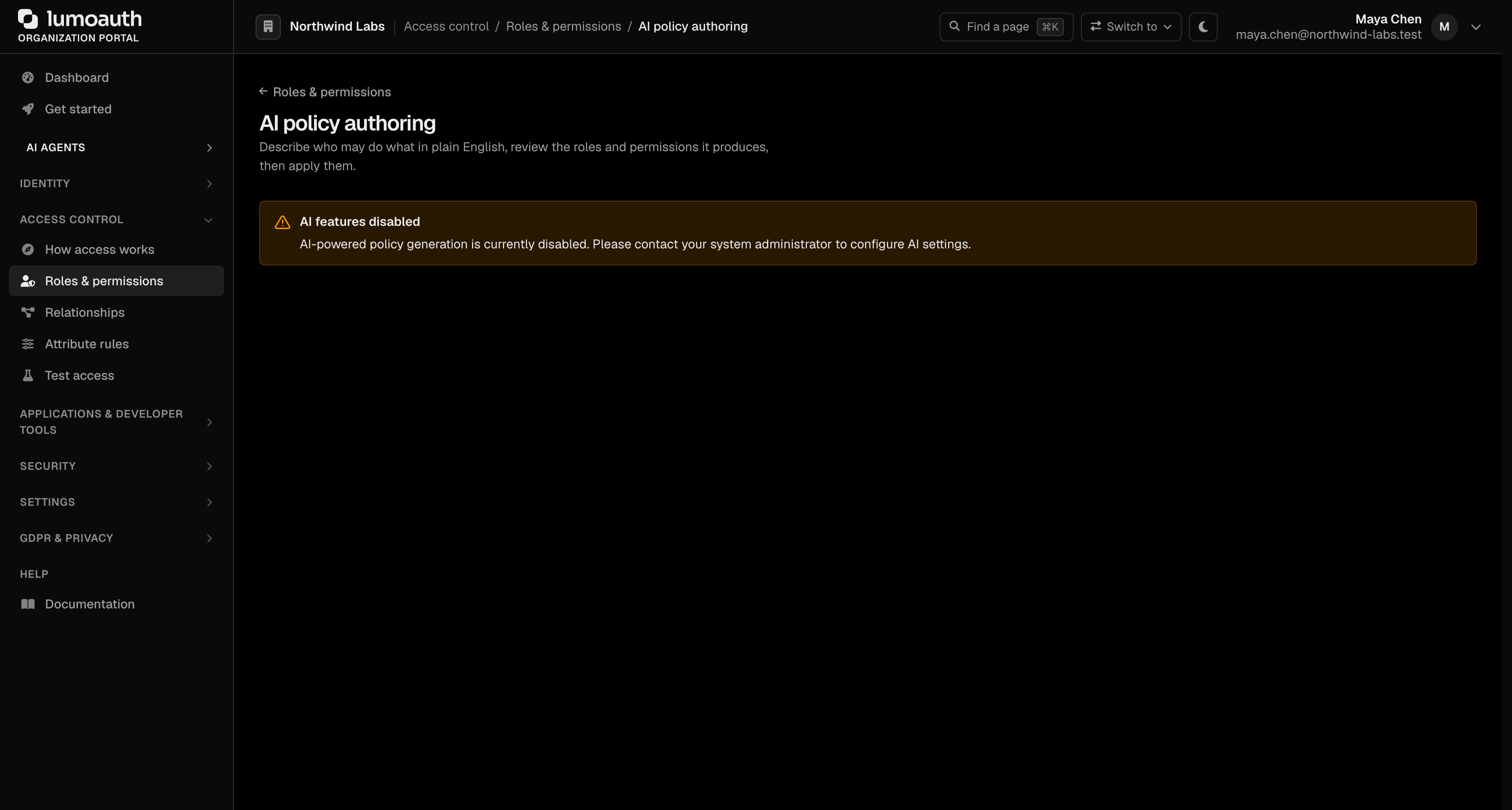
When no AI provider is configured, the page shows an AI features disabled notice instead of the authoring form.
How It Works
- Describe your policy in natural language.
- The AI generates the corresponding RBAC roles/permissions and/or Zanzibar relations and tuples, returned as a JSON object.
- Review the draft. It cannot be edited in place: change the description and click Analyze and preview again.
- Apply to create the roles, permissions, and relationship namespaces/tuples in your organization.
URL: /orgs/{orgId}/portal/policies/author. When AI is enabled, two buttons open it: Draft with AI on the Roles & permissions page and AI policy authoring on the Relationships page. Both need the policies.view permission.
Examples
RBAC Generation
Input:
"Create roles for a project management app. Project managers should be able to create, edit, and delete projects and assign team members. Team members can view projects and update tasks. Viewers can only see project details."
Generated Output (a JSON object — abbreviated here):
{
  "policy_name": "Project Management Access",
  "roles": [
    { "name": "Project Manager", "slug": "project_manager", "description": "Manages projects and team members" },
    { "name": "Team Member", "slug": "team_member", "description": "Works on projects and tasks" },
    { "name": "Viewer", "slug": "viewer", "description": "Read-only access to projects" }
  ],
  "permissions": [
    { "name": "Create Project", "slug": "projects.create", "resource": "projects", "action": "create", "description": "Create new projects" },
    { "name": "Edit Project", "slug": "projects.edit", "resource": "projects", "action": "edit", "description": "Edit projects" },
    { "name": "View Project", "slug": "projects.read", "resource": "projects", "action": "read", "description": "View project details" }
  ],
  "role_permissions": [
    { "role_slug": "project_manager", "permission_slug": "projects.create" },
    { "role_slug": "project_manager", "permission_slug": "projects.edit" },
    { "role_slug": "team_member",     "permission_slug": "projects.read" },
    { "role_slug": "viewer",          "permission_slug": "projects.read" }
  ]
}
The full object also carries zanzibar_relations, zanzibar_tuples, and exclusions keys (empty for a pure-RBAC case).
Applying a policy with non-empty zanzibar_relations needs the zanzibar feature (Fine-grained authorization add-on, Pro and Business). Without it, and with billing enforced, Apply is rejected with 403 and {"error": "feature_not_in_plan", "feature": "zanzibar", …} and nothing is created; pure-RBAC policies still apply.
Zanzibar Generation
Input:
"Design a document sharing system. Documents belong to folders. Folders belong to workspaces. Workspace admins can do everything. Folder editors can edit documents in their folder. Document viewers can only read."
Generated Output (the zanzibar_relations / zanzibar_tuples portion of the JSON object — abbreviated):
{
  "policy_name": "Document Sharing",
  "zanzibar_relations": [
    {
      "namespace": "folder",
      "relation": "editor",
      "description": "Folder editors can edit documents in the folder",
      "definition": {
        "union": [
          { "_this": { "relation": "editor" } },
          { "tuple_to_userset": {
              "tupleset": { "relation": "parent" },
              "computed_userset": { "relation": "editor" } } }
        ]
      }
    },
    {
      "namespace": "document",
      "relation": "viewer",
      "description": "Document viewers can read the document",
      "definition": { "_this": { "relation": "viewer" } }
    }
  ],
  "zanzibar_tuples": [
    {
      "description": "Seed: editor of the design folder",
      "namespace": "folder",
      "object_id": "placeholder_id",
      "relation": "editor",
      "user_namespace": "user",
      "user_id": "placeholder_user"
    }
  ]
}
Using the Policy Author
Step 1: Write a Description
Type the rule into Policy description (or pick one under Start from an example), then click Analyze and preview. Be specific about:
- Who should have access (roles, groups, user attributes).
- What they should access (resources, actions).
- When/Where access is allowed (conditions, constraints).
Step 2: Review the Draft
The generator returns a JSON policy that combines RBAC (roles, permissions, role-permission mappings, exclusions) and Zanzibar (relations and seed tuples), as the description warrants. The naming is consistent, and the set of permissions is complete for the case that you described.
Step 3: Adjust if Needed
The preview tables (Roles, Permissions, Assignments, Fine-grained relations, Exclusions) are read-only. To change the draft, click Reset, refine the description and run Analyze and preview again.
Step 4: Apply
Click Apply policy and confirm to create the roles, permissions, role-permission mappings, and relationship namespaces/tuples in your organization.
Tips for Better Results
| Tip | Example |
|---|---|
| Be specific about actions | "can create, edit, and delete" instead of "can manage" |
| Name your actors | "Project managers should..." instead of "some users should..." |
| Mention edge cases | "External contractors can view but not download" |
| Describe relationships and hierarchy | "editors of a folder can edit its documents" (generates Zanzibar relations) |
| State exclusions explicitly | "everyone except contractors" (generates exclusions) |
| Reference existing resources | "for the documents and folders in our file system" |
Related
- Roles & Permissions — RBAC basics.
- ABAC — attribute-based policies.
- Zanzibar — relationship-based access.
- Access Control Overview — compare all models.